Stays allows you to control how prices are displayed on your website and who can see them. There are two different settings, each with a specific purpose.
Price Comparator
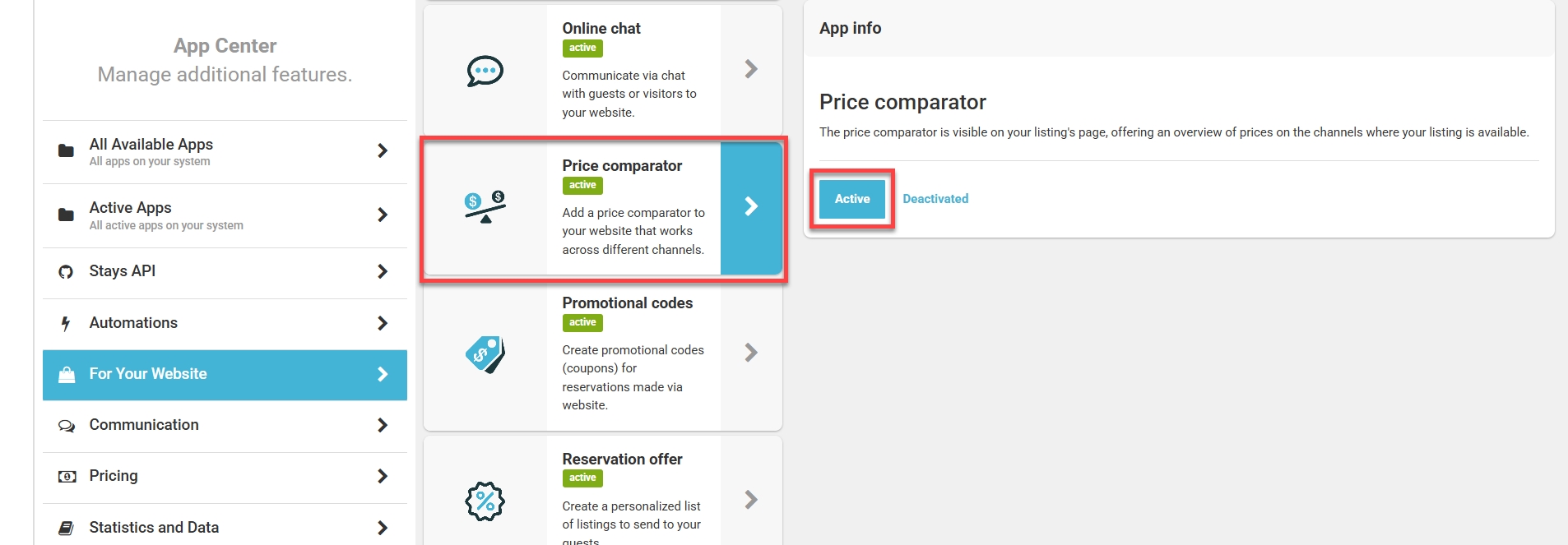
The Price Comparison feature shows, during the website quote process, the prices offered on sales channels for the selected period.
This feature is recommended if you want to:
Highlight your website as the best-priced option
Encourage direct reservations
Reduce commission payments to OTAs
Stays uses the direct booking price as the base price. Price adjustments are applied to external channels. As a result, the website always appears as the most affordable option in the comparison.
How to enable or disable
Go to [App Center > For Your Website > Price Comparator];
Click [Active];
Save the changes.
Price visibility restriction
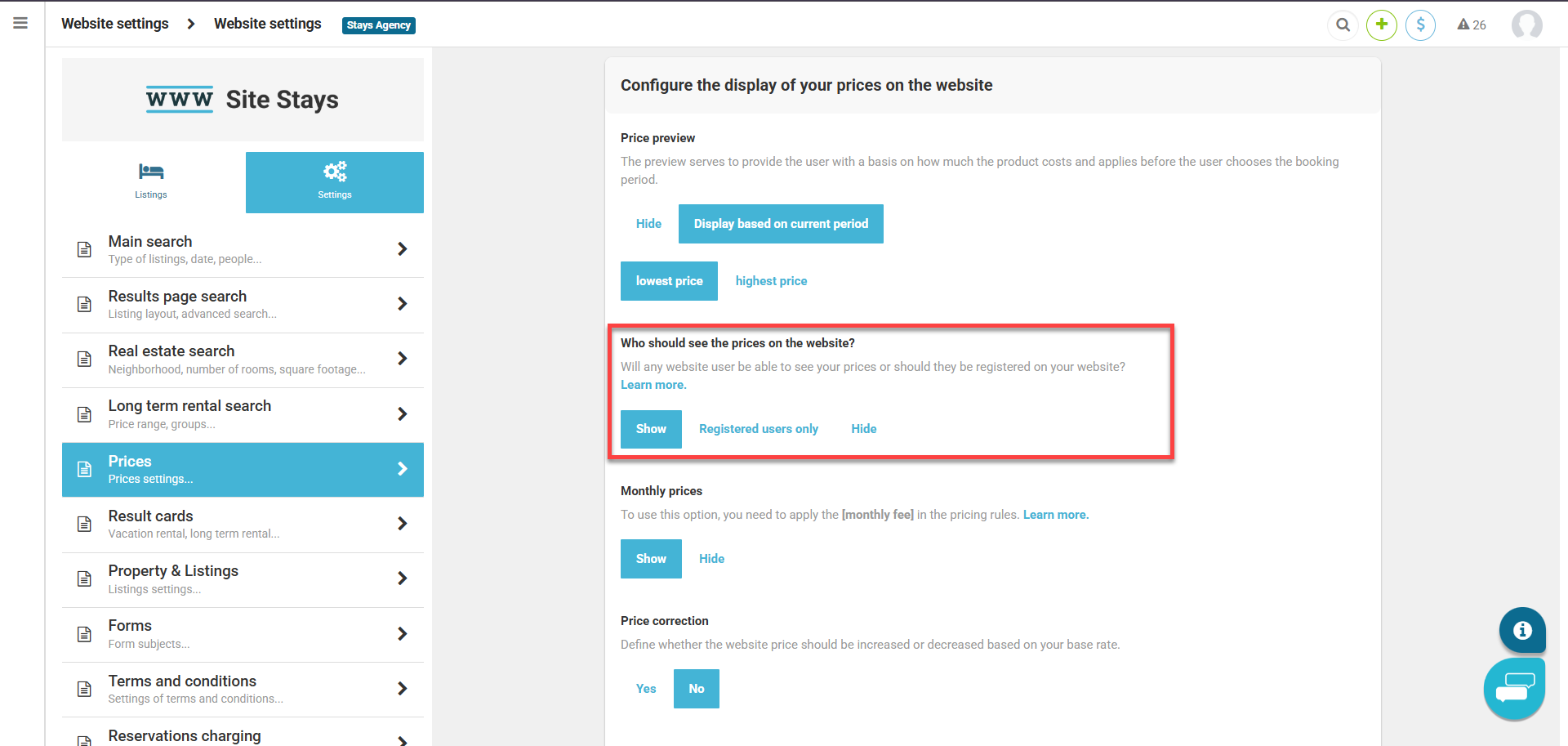
In some cases, it may be necessary to limit price visibility on the website, either to avoid publicly displaying base rates or to offer exclusive access to registered users.
You can configure:
Full restriction, where no one can see prices
Partial restriction, where only logged-in users can view prices
Where to configure
Go to [Website & Template Manager > Website settings > Prices];
Select the desired option in [Who should see the prices on the website?];
Save the changes.
Difference between the settings
- The Price Comparator feature shows sales channel prices during the quote process.
- Price visibility restriction defines who can see prices on the website.
- Both settings are independent and can be used according to your business strategy.